

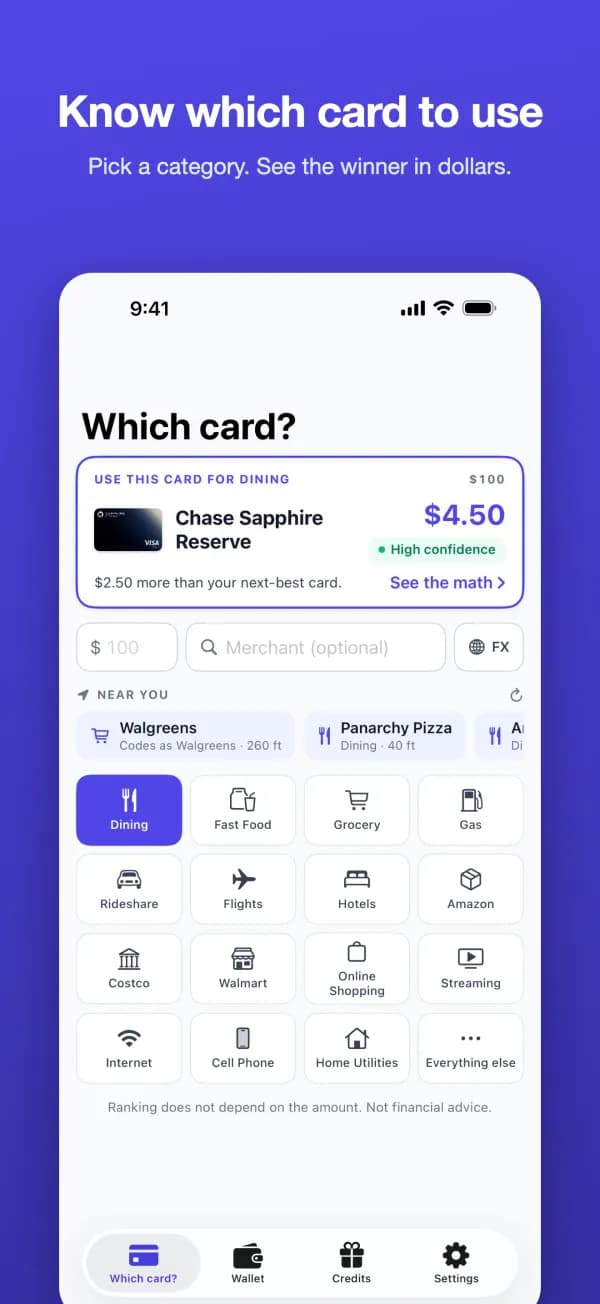
What the app does
It ranks your cards from each card's published earn rates, caps and point values. It also warns about merchant coding quirks, such as warehouse clubs that take only one card network.
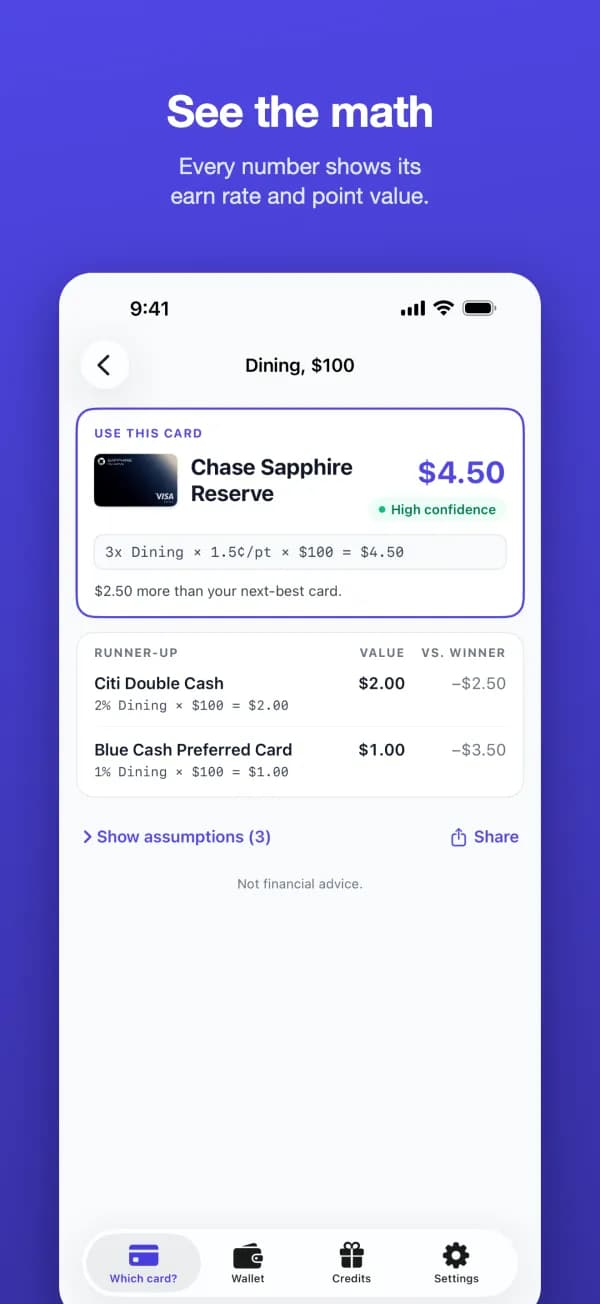
See the math
Earn rate, point value and amount multiplied out, the runner-up, and the assumptions behind the number. When two cards are within a few cents, it says so.
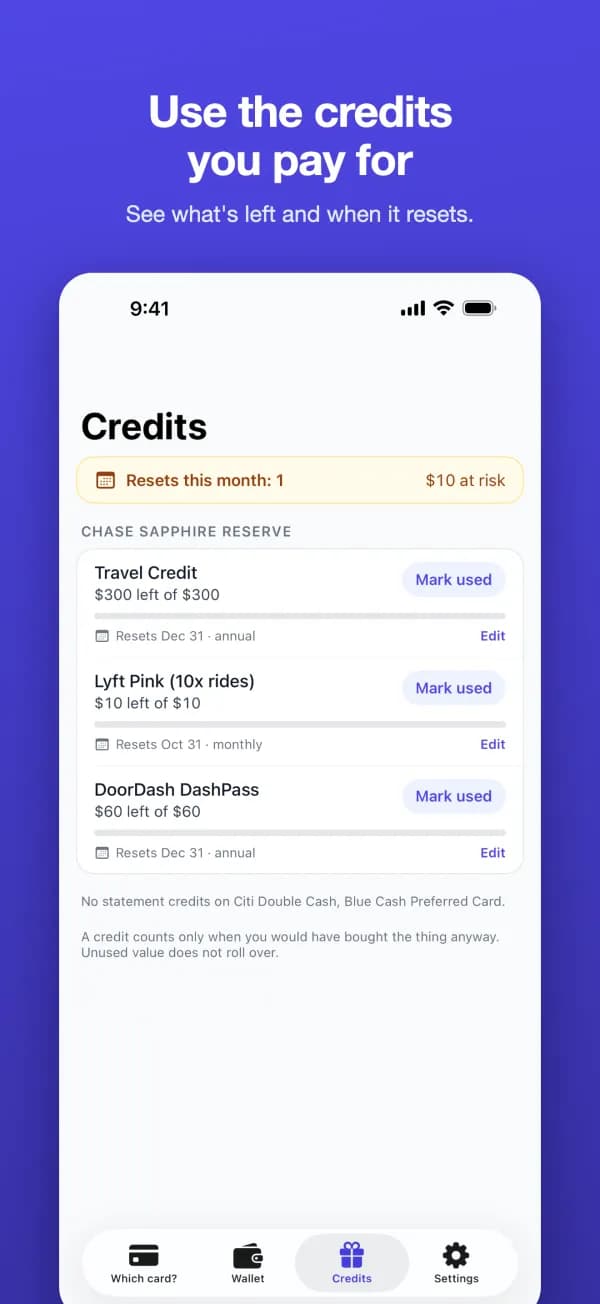
Use the credits you pay for
Track statement credits by period, and get a reminder before a monthly or quarterly credit resets.
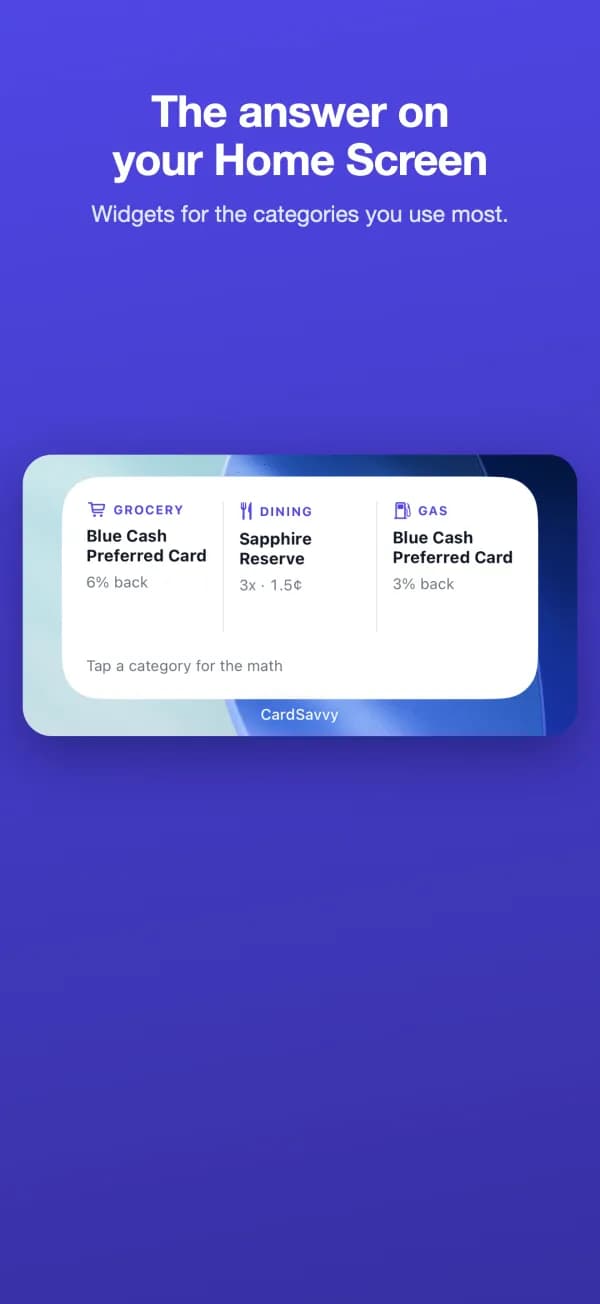
The answer on your Home Screen
A Home Screen and Lock Screen widget for your usual category. Or ask Siri: "Best card for groceries in CardSavvy."
Watch it work
Two short videos recorded from the app. They load from YouTube only when you press play.
What it doesn't ask for
- No bank login and no card numbers. CardSavvy knows only the names of your cards.
- No ads and no tracking.
- Your wallet stays on your phone. Signing in with Apple or Google is optional and syncs the same wallet with card-savvy.com.
- Location is optional. The app uses it only while the Which card? screen is open, to suggest the store you are in, and it never reaches our servers.
Details are in section 6 of the privacy policy. Card terms change: the app shows the date its rates were last checked, and it is not financial advice.
On Android?
An Android app is in development. We haven't set a release date.
Until then, open Best Card in Chrome and choose Add to Home screen (or Install app) from the menu. It ranks your cards with the same rules as the iPhone app and keeps working offline at the register.
The CardSavvy newsletter will announce the Android app when it ships. It also sends our card strategy posts when we publish. Unsubscribe anytime.
Questions
- Is the CardSavvy app free?
- Yes. The app is free, with no in-app purchases and no ads.
- Does it need my bank login or card numbers?
- No. You add cards by name. CardSavvy never asks for a bank login, a card number or your transaction history.
- Does it sync with my CardSavvy account?
- Yes, once you sign in with Apple or Google, which is optional. Continue with Google links to an existing card-savvy.com account that uses the same email address. Without signing in, your wallet stays on your phone.
- Which iPhones does it run on?
- Any iPhone running iOS 26.5 or later. The app covers US credit cards.
- Is there an Android app?
- Not yet. An Android app is in development, and we have not set a release date. On Android, Best Card at card-savvy.com/best-card ranks your cards with the same rules in Chrome, and you can add it to your home screen.